
<!-- slug: agentic-ai-workflow hero_image_brief: Abstract workflow map with multiple AI agent nodes, clear handoff paths, and visible decision points. The image should feel structured, technical, and calm, not sci-fi. Show work moving from intake to validation to action to review. hero_image_alt: Diagram showing how an agentic AI workflow routes work between multiple specialized AI agents across a business process. -->
Most business automation breaks when the work gets messy.
A simple rule-based flow can move data from one tool to another. It can send a reminder email. It can update a field in your CRM. But once the work needs judgment, handoffs, or exception handling, most automation starts to crack.
That is where an agentic AI workflow comes in.
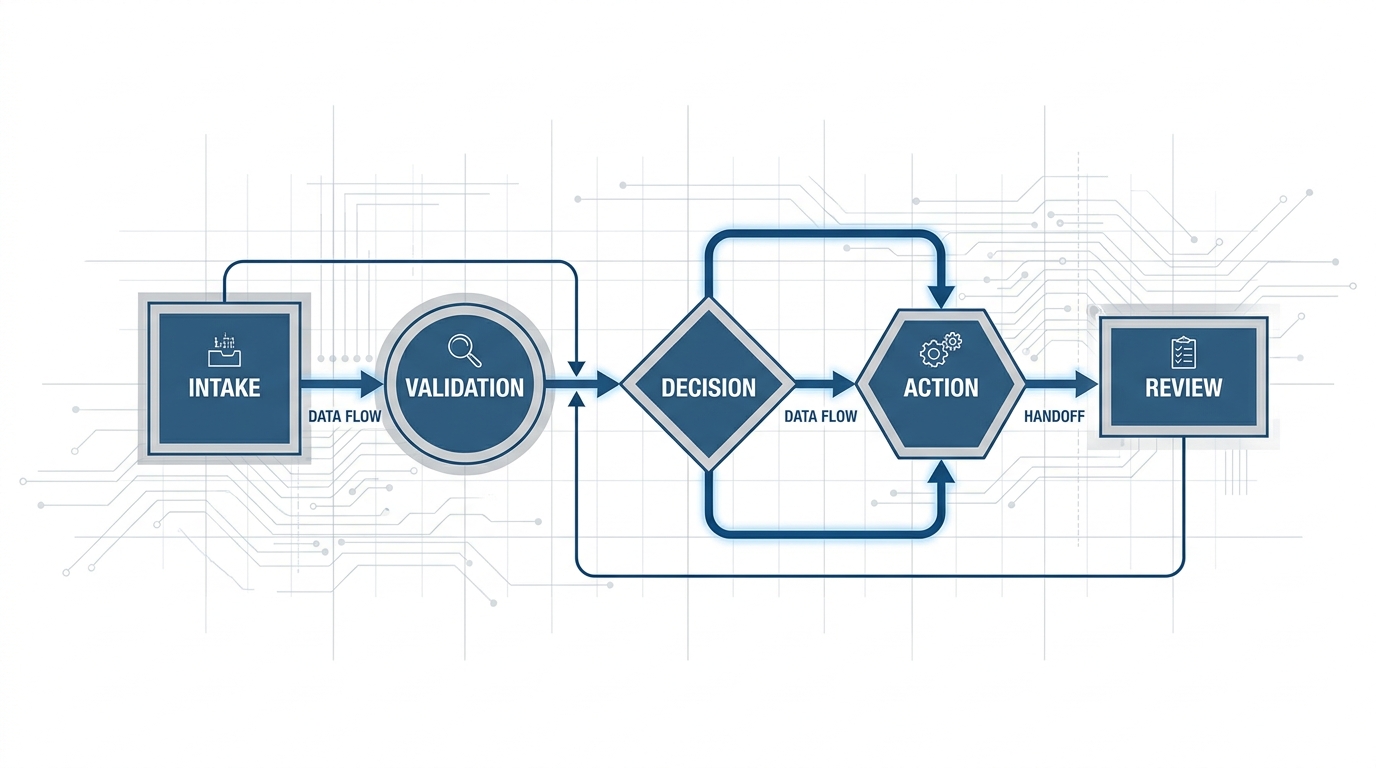
An agentic AI workflow is a process where one AI agent, or a team of AI agents, handles a multi-step job with context, logic, and clear responsibilities. One agent might review intake. Another might validate data. Another might write a response, update the CRM, and send the case to a human only when needed.
This is not just a smarter chatbot. It is a way to run real business processes with less manual work.
What is an agentic AI workflow?
An agentic AI workflow is a structured process where AI agents do work across a sequence of steps.
Each agent has a role. Each step has rules. The workflow has a goal.
A standard automation says, "If X happens, do Y."
An agentic workflow says, "Review what happened, decide what matters, take the next step, and pass the work to the right agent or person."
That difference matters when the process is long, high-volume, or full of edge cases.
How it is different from normal automation
Most teams already use automation tools. They are useful. They also have limits.
Traditional automation works best when:
- the inputs are clean.
- the path is fixed.
- the exceptions are rare.
- the logic is simple.
Agentic workflows work better when:
- the inputs vary.
- the process has multiple stages.
- the work needs reading, writing, or reasoning.
- the handoff rules matter.
For example, a normal workflow can send every new lead into a CRM.
An agentic workflow can read the lead source, check the message for buying intent, compare it to your ideal customer profile, score urgency, assign an owner, draft the follow-up, and flag the ones that need a human right away.
What an agent team actually looks like
The phrase "AI agent team" sounds abstract until you break it into jobs.
A real agentic workflow often looks like this:
1. Intake agent
This agent watches for new work.
It might monitor a shared inbox, a form, a CRM, a phone log, or a support queue. Its job is to collect the input and make sure the workflow starts fast.
2. Triage agent
This agent decides what kind of work just arrived.
It tags the request, checks urgency, spots missing information, and routes the item down the right path.
3. Execution agent
This agent does the main task.
That could mean drafting a reply, updating a record, producing a report, booking an appointment, or preparing a document.
4. QA or policy agent
This agent checks the output against your SOP.
It looks for missing steps, weak answers, policy violations, or data mismatches before the work moves forward.
5. Escalation agent
This agent knows when not to guess.
If the case is sensitive, unusual, or high-risk, it sends the work to a person with the right context attached.
That is the real value. The workflow does not just act. It also knows when to stop.
Where agentic AI workflows create the most value
The best use cases share a pattern. The work is repeatable, multi-step, and expensive to handle by hand.
Here are a few examples.
Lead management
A new lead comes in. The workflow checks source, intent, geography, service fit, and urgency. It updates the CRM, assigns the lead, drafts the first message, and logs the next action.
This is the kind of process covered in our AI team operations playbook, where the goal is not just speed. It is consistent execution.
Customer support triage
A support request lands in the queue. The workflow reads the issue, classifies it, checks account history, drafts the response, and routes high-risk tickets to a human.
Your team spends less time sorting. They spend more time solving.
Back-office operations
Invoices, approvals, onboarding tasks, compliance checks, and weekly reports all follow a process. They often involve several tools and several handoffs.
An agentic workflow can move those jobs from start to finish without losing the thread.
A home services company might route invoices, estimates, and supplier docs through separate agents.
A legal firm could have one agent extract contract terms and another flag renewal dates.
Front-desk and intake workflows
A good example is a software company that needs fast response to inbound calls and form fills. In that case, an AI receptionist can capture the request, qualify it, log it, and route it without making the team babysit the queue.
Why single-agent systems fall short
A single AI agent can do useful work. But complex processes usually break into parts.
One agent should not be responsible for intake, judgment, execution, QA, and escalation all at once.
That creates three problems:
- too much context in one place.
- weak accountability.
- poor error handling.
A team-based model is stronger because each agent has a narrow job and a clear standard.
That is also why many operators are moving from one-off AI tools toward a broader AI workforce playbook. The goal is not one magic tool. The goal is a system of workers with defined roles.
How to design an agentic AI workflow
If you want this to work in production, start with the process, not the model.
Map the workflow first
Write down the steps.
What triggers the work? What needs to happen next? What counts as done? Where do errors usually happen? Where does a human need to approve, review, or step in?
If the team cannot explain the process clearly, the workflow will be hard to automate well.
Define roles, not vague intelligence
Do not tell the AI to "handle support" or "manage leads."
Define each role with a job, an input, an output, and a rule set.
Good example:
- Intake agent logs new form submissions within 1 minute.
- Triage agent scores urgency from 1 to 5.
- Execution agent drafts a reply using the approved template.
- QA agent checks tone, accuracy, and required fields.
- Escalation agent sends edge cases to a human manager.
That is a real operating design. It is testable.
Build the escalation path early
This is where many teams fail.
They focus on the happy path and ignore the weird stuff. Then a bad input shows up, and the workflow makes a bad call.
Every agentic workflow needs a clear answer to one question.
What should happen when the system is not sure?
The right answer is usually simple. Pause, log the reason, attach context, and escalate.
Measure output, not just activity
Do not stop at "the workflow ran."
Track whether it helped.
Useful metrics include:
- time to first action.
- time to completion.
- percent of cases handled without human help.
- error rate.
- escalation rate.
- downstream business result, like booked meetings or resolved tickets.
Common mistakes teams make
The biggest mistake is trying to automate a broken process.
If your SOP is unclear, your handoffs are inconsistent, or your team does the work five different ways, AI will not fix that by itself.
Other common mistakes include:
- giving one agent too many jobs.
- skipping QA.
- hiding the audit trail.
- failing to define approval rules.
- expecting zero oversight on day one.
The best deployments start small. One workflow. One team. Clear review.
Then they expand after the process is stable.
What success looks like
A strong agentic AI workflow does not feel flashy.
It feels boring in the best way.
Work gets picked up fast. The right steps happen in order. Edge cases get routed cleanly. Managers can see what happened. The team spends less time chasing admin and more time on work that needs human judgment.
That is the point.
Not more AI activity. Better operations.
The bottom line
Agentic AI workflows are useful because real business processes are not one-step tasks.
They involve judgment, sequencing, rules, review, and handoffs. A team of specialized AI agents can handle that structure far better than a single prompt or a brittle if-this-then-that flow.
If your team is buried in repeatable work with too many moving parts, this is the model to look at first.
It gives you a path to automate complex business processes without losing control.
Learn how to build these workflows in our guide to automating document extraction for home services.
Want to see what an agentic workflow would look like in your business? Book a demo to see how Dark Harbor designs AI agent teams around real operating processes.